


Most Irish businesses already use IVR, even if they do not call it that. If you have ever rung a company and heard “Press 1 for Sales, press 2 for Support”, you have used an IVR.
IVR can be as simple as a short menu that routes calls to the right person, or as advanced as a self-service phone experience that checks details, answers common questions, and only passes the call to a team member when it needs to.
IVR in plain English
IVR stands for Interactive Voice Response. It is the automated part of a phone system that answers a call, plays recorded prompts, listens for a response, and then does something with that response.
The “interactive” bit matters. An IVR is not just a greeting. It is a set of choices that a caller can make using the phone keypad (touch-tone) or by speaking, depending on the system.
In most organisations, the IVR sits in front of reception, a call queue, or a department ring group. It keeps calls moving, gathers basic information, and gives callers somewhere to go when lines are busy or the office is closed.
What an IVR actually does on a live call
An IVR is a decision tree. Each prompt asks for an action, then the system routes the caller based on that input.
A typical flow looks like this:
- Greeting and key information (business name, opening hours, emergency options)
- Language selection if needed
- Main menu options (Sales, Accounts, Support, etc.)
- Optional sub-menus (billing queries, deliveries, returns)
- Transfer to a person, a queue, or voicemail
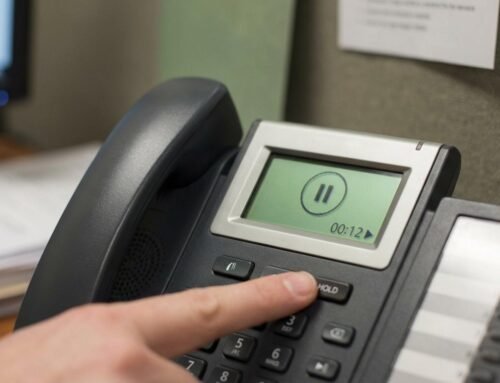
- On-hold audio while waiting
One sentence to keep in mind: the IVR is part of your customer service, not just your telecoms.
The main types of IVR you will come across
Many Irish businesses are on VoIP phone systems now, so the options range from straightforward menus to speech-enabled systems. The right choice depends on call volume, complexity, and how often you need to change the content.
| IVR type | How callers respond | Best fit | Watch-outs |
|---|---|---|---|
| Touch-tone (DTMF) | Press keys (1, 2, 3…) | Most SMEs and offices | Menus can get too long |
| Directed speech | Say set words like “sales” | When callers are often on mobiles | Needs careful prompt wording |
| Natural language | Speak normally | High-volume contact centres | Higher cost and setup effort |
| Cloud-hosted IVR | Runs via provider platform | Scaling, multiple sites | Ongoing subscription can apply |
| On-premise IVR | Runs on local PBX/server | Extra control | More technical upkeep |
Touch-tone is still popular because it is reliable, easy to test, and works well with clearly recorded prompts.
Where IVR pays off for Irish businesses
IVR is not only for large call centres. Even a small team can benefit when calls come in bursts, when the same questions repeat, or when reception cannot always answer quickly.
It tends to be most useful in these situations:
- Busy periods that create queues
- After-hours calls that still need an answer
- Multiple departments sharing one main number
- Compliance or service expectations that require consistent messaging
- Seasonal changes like bank holidays, Christmas opening hours, weather closures
After you know where the calls are going, you can decide what the IVR should achieve.
A simple way to frame it:
- Routing: get the caller to the right place quickly
- Self-service: answer the top questions without human involvement
- Triage: separate urgent calls from routine ones
- Messaging: keep information consistent during busy or unusual periods
Auto-attendant vs IVR: are they the same thing?
People often use the terms interchangeably. In day-to-day telecoms, an auto-attendant is usually the basic front menu that answers and routes calls. An IVR can be that, but it can also go further and collect information or complete tasks.
If your menu only routes calls, you still have an IVR. It is just a simple one.
The practical question is not the label. It is whether callers can reach what they need in under a minute, without feeling trapped in menus.
What makes IVR feel “professional” to callers
Callers judge your IVR quickly. They notice pace, clarity, warmth, and whether the options sound current.
A rushed in-house recording, a muffled microphone, or wording that does not match how Irish customers speak can make a business feel smaller than it is. It can also cause misroutes, repeat calls, and unnecessary frustration for staff.
Professional IVR audio usually has:
- Clear pronunciation of Irish place names and surnames
- A consistent tone across greeting, menus, voicemail, and out-of-hours
- Proper audio levels for phone lines (telephony is not the same as web audio)
- Music that is legal to use, where music is included
OnHold.ie focuses on this part of the IVR experience: recording the prompts, welcome messages, on-hold messages, voicemail lines, and the “glue” audio that makes a phone system sound polished. The files are supplied ready for upload to your phone system, with royalty-free music options and pay-once pricing, so you avoid annual music licensing costs and contracts.
Menu design that keeps calls moving
Most IVR issues are not technical. They are design issues: too many choices, unclear wording, or no easy way to reach a person.
A short, well-structured menu is usually better than a clever one. People ring because they want an answer quickly.
Start with a paragraph of plain language, then tighten it. Then test it by ringing in from a mobile and listening without looking at the script.
Here are practical rules that hold up well:
- Keep the main menu short
- Put the most common options first
- Avoid jargon and internal department names
- Offer a way to reach a person
- Repeat key choices once, not three times
One small change that often helps is to state the action first: “For accounts, press 2” instead of “Press 2 for accounts”.
Writing prompts that sound natural (and still do the job)
A good IVR script reads like spoken Irish business English, not like a policy document. Short sentences work. Active voice works. Concrete words work.
It also helps to separate what the caller needs to hear now from what can wait until they are on hold. Menus are for routing. On-hold messaging is for reassurance and useful updates.
A strong script usually covers:
- Who the caller has reached
- What they can do next
- What happens if they do nothing
- Where to go for urgent issues
- Office hours and out-of-hours handling, if relevant
If you operate across multiple counties, consider whether a caller should choose a location early, or whether that choice can wait until after the reason for the call is known.
A simple IVR script template you can adapt
This is a straightforward structure that suits many Irish SMEs and multi-department offices:
“Thanks for calling [Business Name].
If you know your party’s extension, you can dial it at any time.
For Sales, press 1.
For Accounts, press 2.
For Support, press 3.
To repeat these options, press 9.
To speak with reception, press 0.”
Even with a basic template, the difference is in the finish: confident delivery, consistent phrasing across all prompts, and audio that is mastered for phone playback.
Irish-specific considerations: language, expectations, and GDPR
Some organisations need bilingual phone prompts, especially in public services and areas where Irish language support is expected. Even where it is not required, offering “Press 1 for English, press 2 for Gaeilge” can be a positive signal when it suits your customer base.
Data protection is another practical point. IVR itself may not store personal data, but your wider call handling might. If you record calls, collect account numbers, or route based on caller identity, you should check:
- What personal data is collected during calls
- Whether call recording is active, and how consent is handled
- Where recordings are stored, who can access them, and how long they are kept
- Whether you need a DPIA for more complex voice or speech processing
Your phone system provider and your internal privacy policies should match what your IVR says to callers. If the IVR mentions recording, make sure it is true and up to date.
How IVR and on-hold audio work together
IVR gets the caller to the right place. On-hold audio keeps them informed while they wait. They are often set up by different people, which is why callers sometimes hear a professional menu followed by poor-quality hold music, or the other way around.
When the prompts and the on-hold messages are planned together, you get a smoother experience:
- The caller hears the same voice across the whole system
- The tone stays consistent
- The information on hold supports the menu options rather than repeating them
- Updates are easier to manage for holidays and service disruptions
OnHold.ie provides the recorded elements that bring that consistency: Irish professional voiceovers, telephony-optimised files, and royalty-free music that avoids IMRO or PRS fees.
Getting started without overcomplicating it
If you are new to IVR, start small and build. A single-level menu that routes calls well is already a big win, especially when it reduces missed calls and cuts down on transfers.
A good first step is to review your call reasons for a week and tally the top five. That list should shape your main menu. Then decide what can be handled by self-service now, and what should simply route to the right person.
If you are updating an existing IVR, check the basics before changing the tech: are the options still accurate, do they match how your team answers the phone today, and do callers have a clear path to a human when they need it?









[…] you are editing your templates for IVR, voicemail, and on-hold, tighten them using rules like […]
[…] If your business phone system plays music while callers wait, you are “performing” that music to the public. That simple fact catches many Irish organisations off guard, because the same song that feels harmless on a personal playlist can bring real licensing obligations once it’s piped into a queue or IVR. […]